
No more long lines! GCash just made birth, marriage certificates a tap away
Marijo Farah A. Benitez • Ipinost noong 2026-02-26 11:39:53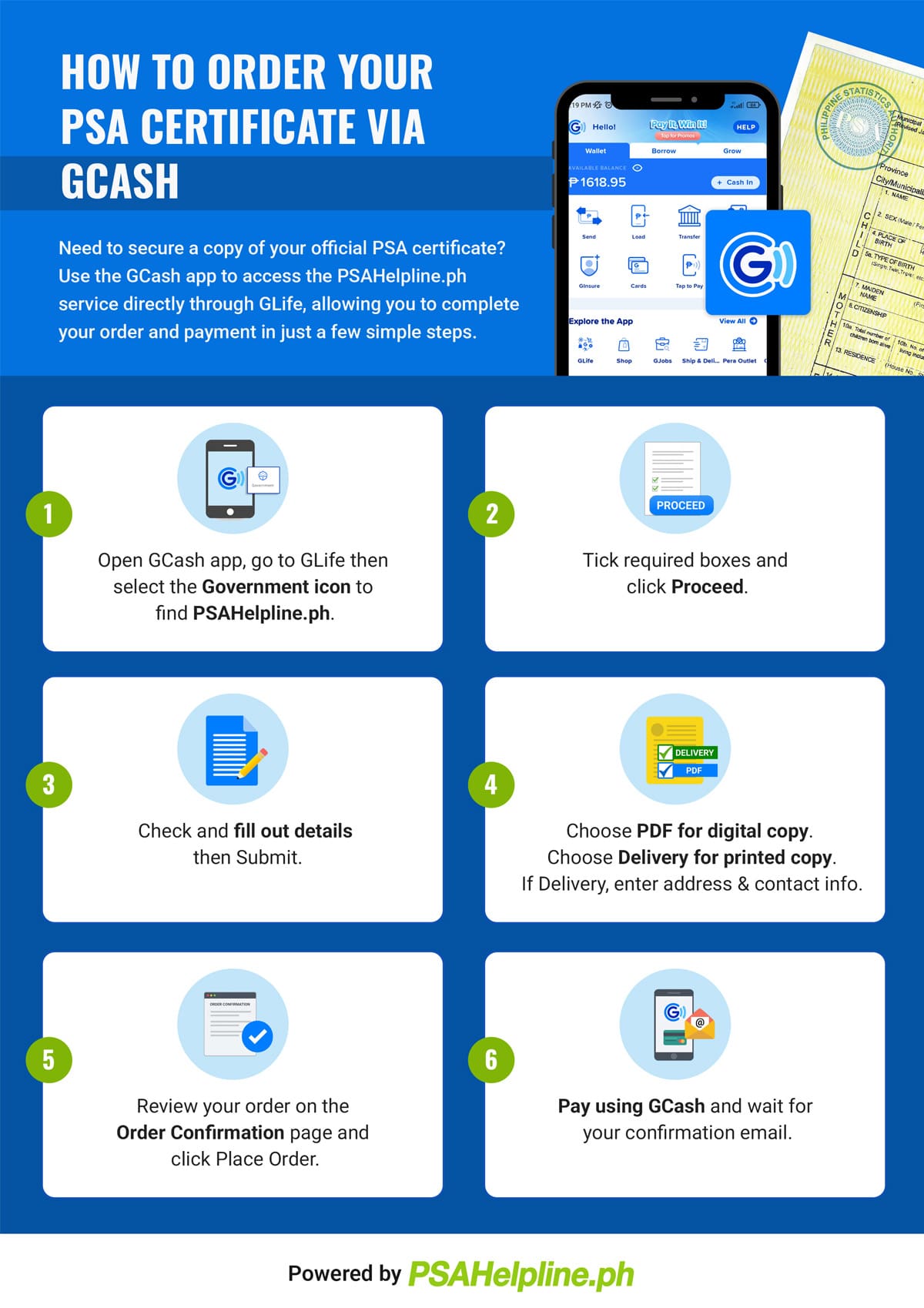
FEBRUARY 26, 2026 — No more lining up at PSA offices or waiting endlessly for couriers — GCash has officially rolled out a service that lets Filipinos request birth, marriage, and even death certificates straight from their phones. Through a partnership with the Philippine Statistics Authority (PSA) and Pilipinas Teleserv, the PSAHelpline Mini App is now live inside GCash’s GLife section, making the country’s most-used e-wallet the first to host this kind of civil registry service.
Users can now get PDF versions of these documents, legally recognized and tamper-proof.
PSA National Statistician Claire Dennis Mapa underscored the convenience, saying, “The PSA Helpline Mini App within the GCash app simplifies how Filipinos request civil registry documents by integrating secure requests and payments into a trusted digital platform.”
Cleo Celeste Santos of GCash added that this move helps more Filipinos “participate in the digital economy and access the opportunities they deserve.”
Prices remain straightforward — P290 for birth, death, and marriage certificates, and P345 for CENOMAR or CENODEATH.
The PSA guarantees that these digital copies carry the same legal weight as physical ones, with Pilipinas Teleserv’s Jun Yupitun stressing, “100 percent po ang guarantee natin that the digital product in PDF form is tamper-proof. We signed a private key to it.”
For millions of Filipinos, especially those in far-flung provinces, this is more than just convenience — it’s access. Last year alone, 18 million certificates were issued, and with this integration, that number is expected to surge. Imagine applying for a job, enrolling in school, or processing government benefits without the hassle of travel or long queues.
This digital leap is certainly a win for efficiency. Here’s how to get PSA documents through GCash:
- Open your GCash app and go to the GLife section.
- Tap on the PSAHelpline Mini App.
- Choose the type of document you need (birth, marriage, death certificate, CENOMAR, or CENODEATH).
- Fill out the application form with the required details.
- Pay directly through GCash’s secure payment system.
- Complete the identity verification process.
- Wait for your digital copy (PDF) to be sent to your email, or opt for delivery if you prefer a physical copy.
After years of lining up at dawn, clutching folders, and praying the system doesn’t crash, isn’t it refreshing to finally see government paperwork catch up with the times? Do you see this as the start of a hassle-free future, or will you still miss the drama of those endless queues?
(Image: PSA Online)